If you’ve ever wanted to switch between cashiers with a single code (instead of two), this month’s Cloud POS update is bringing good news and some great improvements.
From a new Quick Switch option to a more intuitive Search field, here’s what to look forward to when the update goes live on November 16.
Log in with a single Quick Code
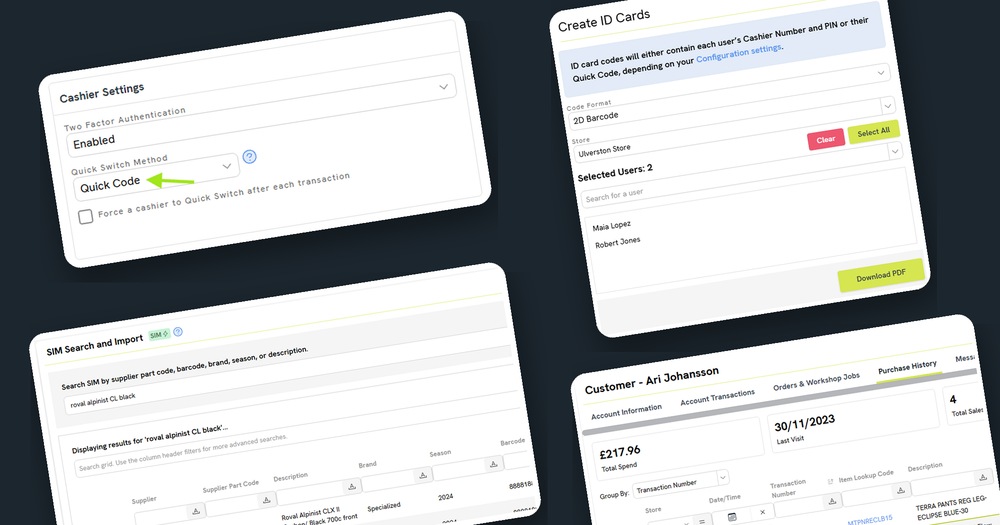
When several people share the same register, cashiers are logging in and out multiple times a day. Rather than entering a Cashier Number and PIN each time you jump in to serve a customer, you’ll now have a ‘Quick Code’ option, so your team can Quick Switch with only one number to enter.

To make things even easier, you can now print out user ID cards for your cashiers. There’s the option to print off a simple PDF with the user’s name and a scannable barcode or QR code. Ideal for wearing on a lanyard, the card can be scanned each time the cashier steps behind the register. The cards will work whether you switch to Quick Codes or choose to keep using a Cashier Number and PIN.

Smoother selling at Point of Sale
Previously, when you pressed ‘Enter’ in the Point of Sale Item Scan or Quick Search field, it acted like a barcode scan. This meant if there was no exact match, a ‘Barcode Not Found’ error would be returned.
Now, hitting ‘Enter’ will still add an item to the sale when there’s an exact code match, but if not, it will run a quick search. If nothing in the system matches, a new ‘Search SIM’ button will carry the search over, so you won’t need to put the scanner down and type it all again. This makes selling seamless and intuitive, and it’s especially handy for newer members of your team.
Reprinting a receipt for a customer is easier too. You can now print a 40-column receipt straight from the customer’s Purchase History, as well as from the Customer Orders page and the Orders & Workshop Jobs tab. You no longer need to copy a transaction number and look it up separately on the Transactions page.

Getting items right from the start
You can now set a Category to create new items as Serialized by default, to prevent accidentally selling something as a Standard item and having to correct it afterwards. If an item does end up with the wrong type, Cloud POS now has a new flow that creates a corrected version for you and moves the codes, aliases and settings across automatically. Mistakes happen, but now they’re easier to avoid (and to fix)!

We’ve also made a change to the SIM Catalog Search so items you’ve already imported now show up when you search. This works across the SIM Catalog in the Back Office and in SIM Search at the Point of Sale. If it’s already in your database, you’ll know about it.

Finally, if you buy some items by the pack but sell them individually, setting them up is now simpler. When you create a Multi-Pack Quantity (MPQ) item, you can enter the Pack Cost and Cloud POS will tell you the Unit Cost. No more reaching for the calculator to work it out yourself!

Keep the ideas coming
You’ll find details of every change in the full release notes when the update goes live on November 16. In the meantime, please keep sharing your ideas on our feedback forum.