May brings two new features to Cloud POS. One is for the workshop. One is for customer communication. Here’s what’s changing.
A clearer view of the workshop calendar
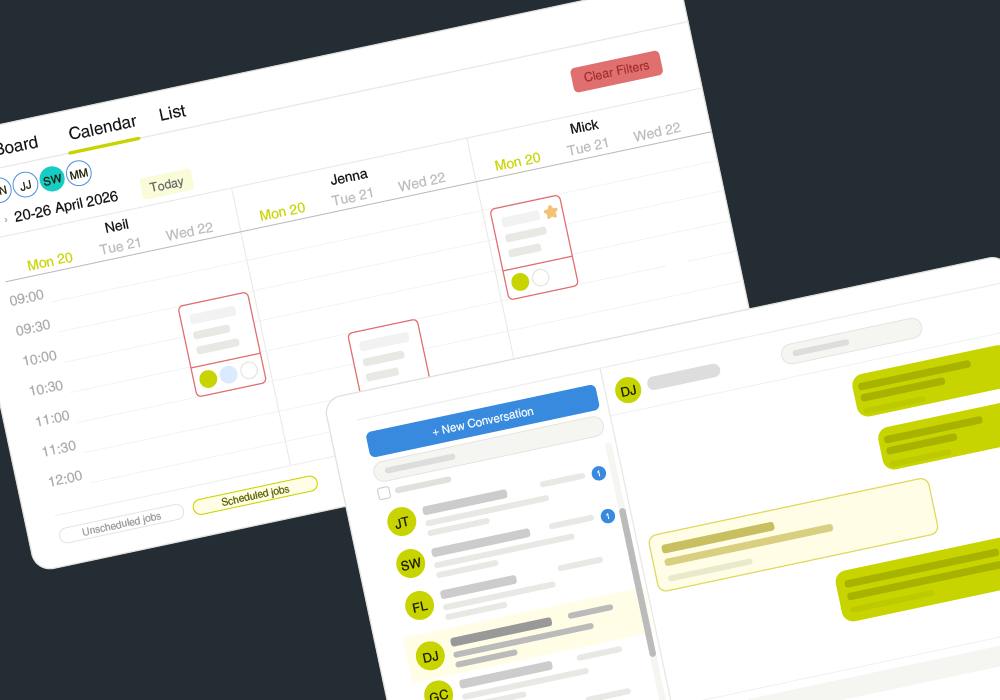
The new mechanic split view in the new Workshop shows each mechanic’s scheduled jobs in their own column, side by side. You can see at a glance who has capacity and where the week is uneven. If a job needs reassigning, simply drag it from one column to another.

It’s a small change that makes a big difference to how you manage workshop jobs. If you missed it, check out the other Workshop improvements that landed in April, which brought filtered Kanban views, warranty status on job cards and a tidied-up job completion flow.
The mechanic split view is available from 5th May.
All customer messages in one place
The new Message Hub gives you a single view of all your customer conversations inside Cloud POS. Rather than hunting through individual records to find out who needs a reply, everything is visible in one place, each conversation listed with a preview of the latest message, so you can see at a glance what’s waiting for your attention.
Open a conversation and the full message history is there, against the customer’s record. For shops where more than one person handles customer contact, that means anyone can pick up where the last person left off.

Message Hub is due to go live around mid-May.
Check out more recent updates to Cloud POS
If you want to see everything else that’s been added to Cloud POS recently, the April update roundup and the AI-powered Smart Import for Purchase Orders article are both worth a read.